
By: Kristin and Joe Merrill
@TheMerrillsEDU / #interACTIVEclass
themerrillsedu.com
Often, reading isn’t thought of as interACTIVE. Students are always up and moving around, but for the most part reading is an individual activity that takes place someplace quiet.
Fear not! With Epic! and some other fantastic tools, you can easily turn your class reading assignments into engaging, higher-level interACTIVE activities that foster stronger connections, collaboration and shared learning experiences.
Meet the #interACTIVE class
The #interACTIVE class is about being responsive to the needs of today’s generation of students, and allowing them to interact with information in meaningful ways through collaborative work, project-based learning, guided learning and student-centered activities.
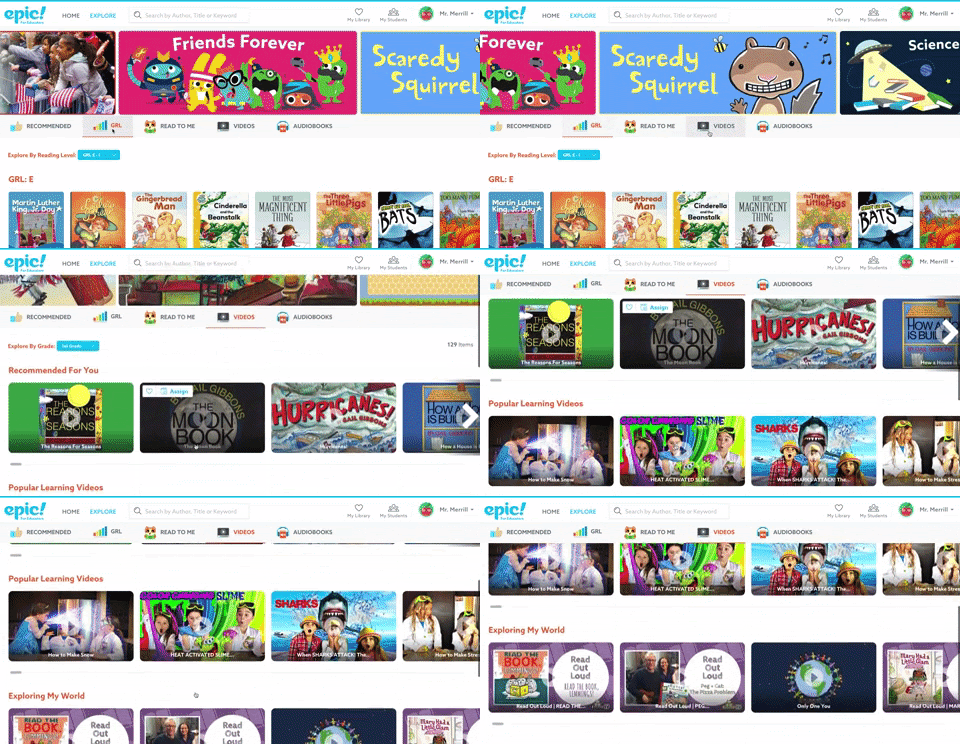
Give your students a chance to take advantage of Epic!’s awesomeness while providing opportunities to make learning responsive! Some ways to use Epic! in the #interACTIVE class include creating differentiated reading centers, conducting research projects and using Epic! along with video sharing on Flipgrid.
Differentiated Reading Centers
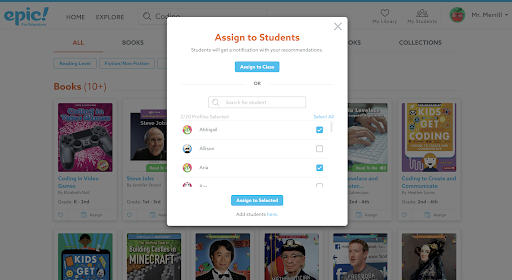
One of our favorite Epic! features is the ability to quickly and efficiently deliver content to our students. Whether you want to deliver an entire collection to one student or the entire class, Epic! narrows down this process to just a few simple clicks. This allows you to easily differentiate your selections by class and better respond to students’ individual needs.
For example, early readers may be assigned Read-to-Me books, while more experienced readers may be assigned levels more appropriate to their needs. When assigning books, just be sure to select the students who will benefit most from the selection.
Make Your Reading Center #interACTIVE
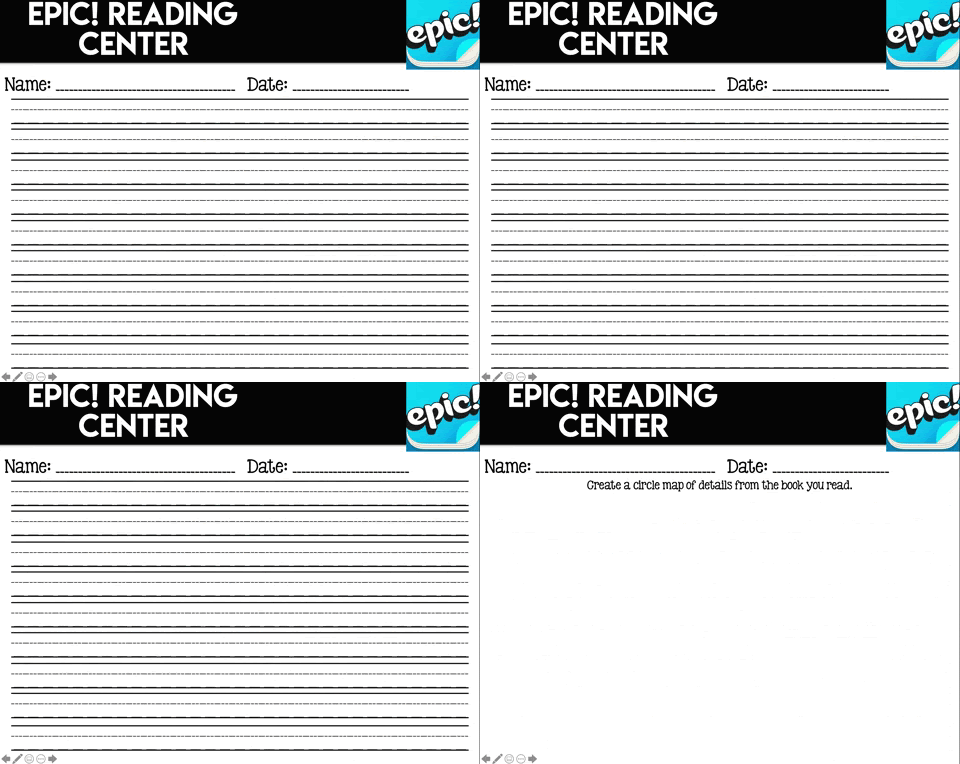
To make your reading center an #interACTIVE one, have your students write down facts from an article, or lay out the sequence of events in a story. We like our students to use a sheet of paper or worksheet to record their thinking while reading. Then they can take their recorded thoughts and compile them into short writing pieces. Here’s an example:

If you would like to try this out to create your own reading center, you can click and download this worksheet.
Research Projects
Our students love research projects, and Epic! allows educators to infuse research easily into the classroom. With Epic!, you can deliver relevant content with a few clicks. If you are doing your research in groups, differentiate the books by creating different collections so everyone can read the same thing at their own level.
Is everyone working on their own topic? No worries, just create a collection for each student and assign them accordingly. Now your students can take these sources and use them for their projects and save precious time working instead of looking for reading material.

App Smash With Flipgrid
One of the easiest ways to get more responsive within the reading class is to integrate other apps into the lesson and pair them with Epic!. Apps that provide creative outlets for your students to process and share the information that they have learned are always best. One of our favorite apps to integrate with Epic! is Flipgrid.
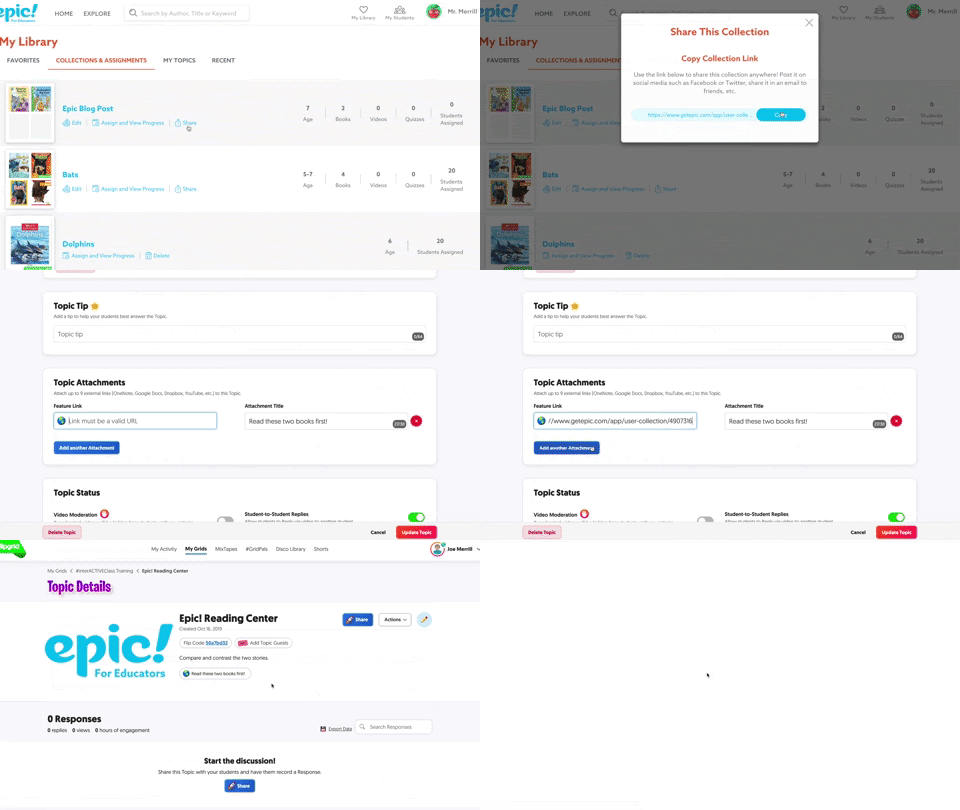
Flipgrid is a social learning platform that allows students to respond in video format to questions generated by their teacher. Students are then able to view each other’s responses and reply back to them. This creates a web of discussion where all student voices are heard. Educators can create a question and upload a collection of books from Epic! as an attachment. Have your students read the selections from Epic! first, and then answer the posed question or complete the task assigned. Once students are finished, they can watch the responses from their classmates.
Inquiry Projects & Genius Hour
In addition to providing thousands of digital books, Epic! also has a plethora of videos for teachers to assign to students. These can be used simply to engage at the beginning of a lesson or unit, or they can be bundled with books into collections. Create collections for students to begin a unit of inquiry or for genius hour assignments. Give students the freedom and independence to inquire and learn in the classroom.
About the Authors

Kristin and Joe Merrill share a passion for infusing EdTech into their fourth and first grade classrooms. Together, they have a combined 19 years of teaching experience, during which they have and do collaborate to create engaging lessons that turn into memories for their students. Even though they teach different grades, they share one common goal: making learning interactive. The Merrills put a new spin on traditional strategies, and implementing technology to meet the needs of students.

Follow @TheMerrillsEDU!
Twitter | Instagram | Facebook
#interACTIVEclass
Be sure to look out for “The #interACTIVE Class” book out this January on Elevate Books EDU!
Be a Spark Contributor!
Do you have innovative ideas or inspiring stories to share with your fellow Epic! Educators? Be a guest author for Spark!
Submit your topics and ideas to spark@getepic.com.
Be sure to check out these guidelines before submitting your post.